New: a redesigned big screen
Everything you need to run a great room
Live trivia, buzzer races, bingo, polls, Quiz and Pen & Paper modes, teams and your own branding, all on the big screen while guests play on their phones.
Always free for up to 25 players. No credit card.
THE BIG SCREEN
A game show on any TV
The room watches one screen together. Every question, reveal and podium is designed to be read from the back of the room.
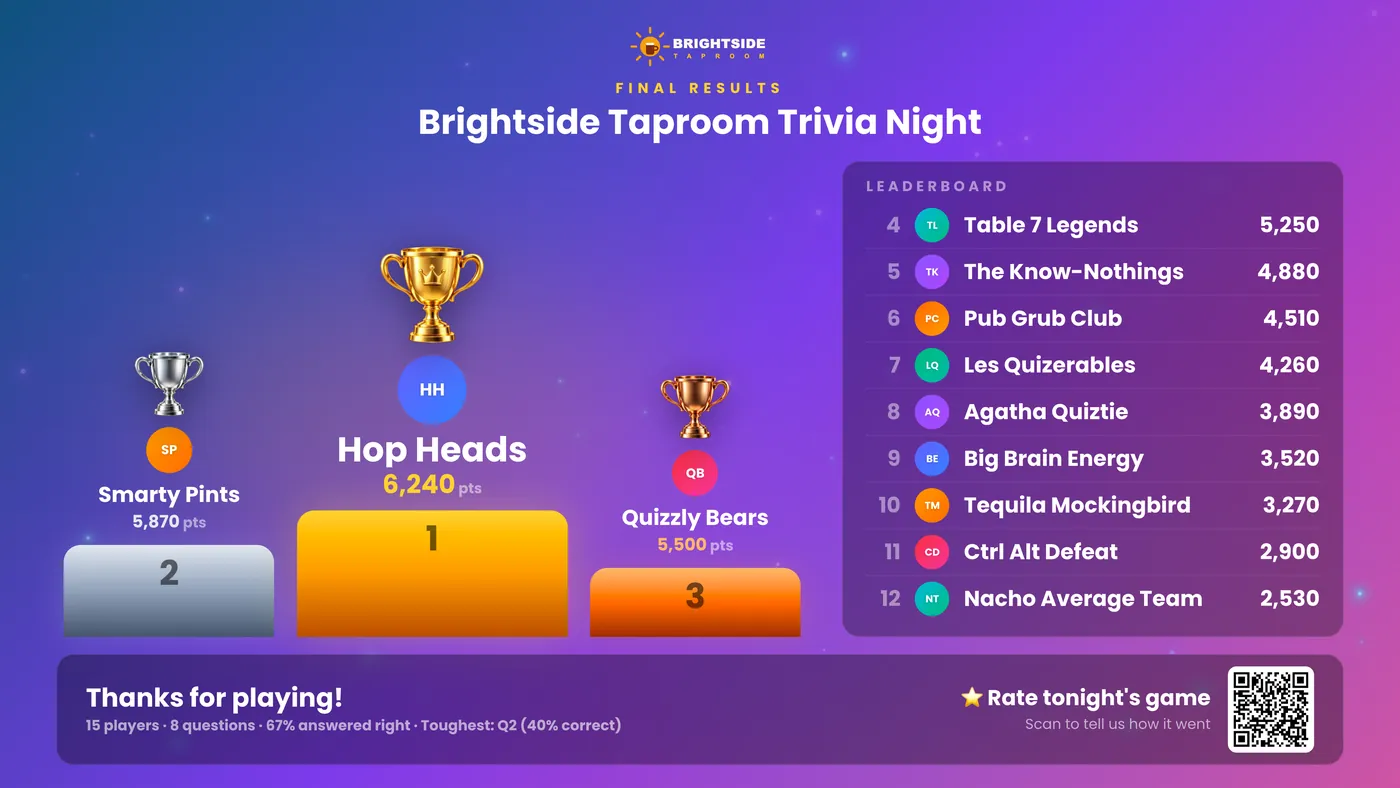
The answer lights up green
The correct answer fills green edge to edge, with the vote split and the fastest players, readable from the back of the room.
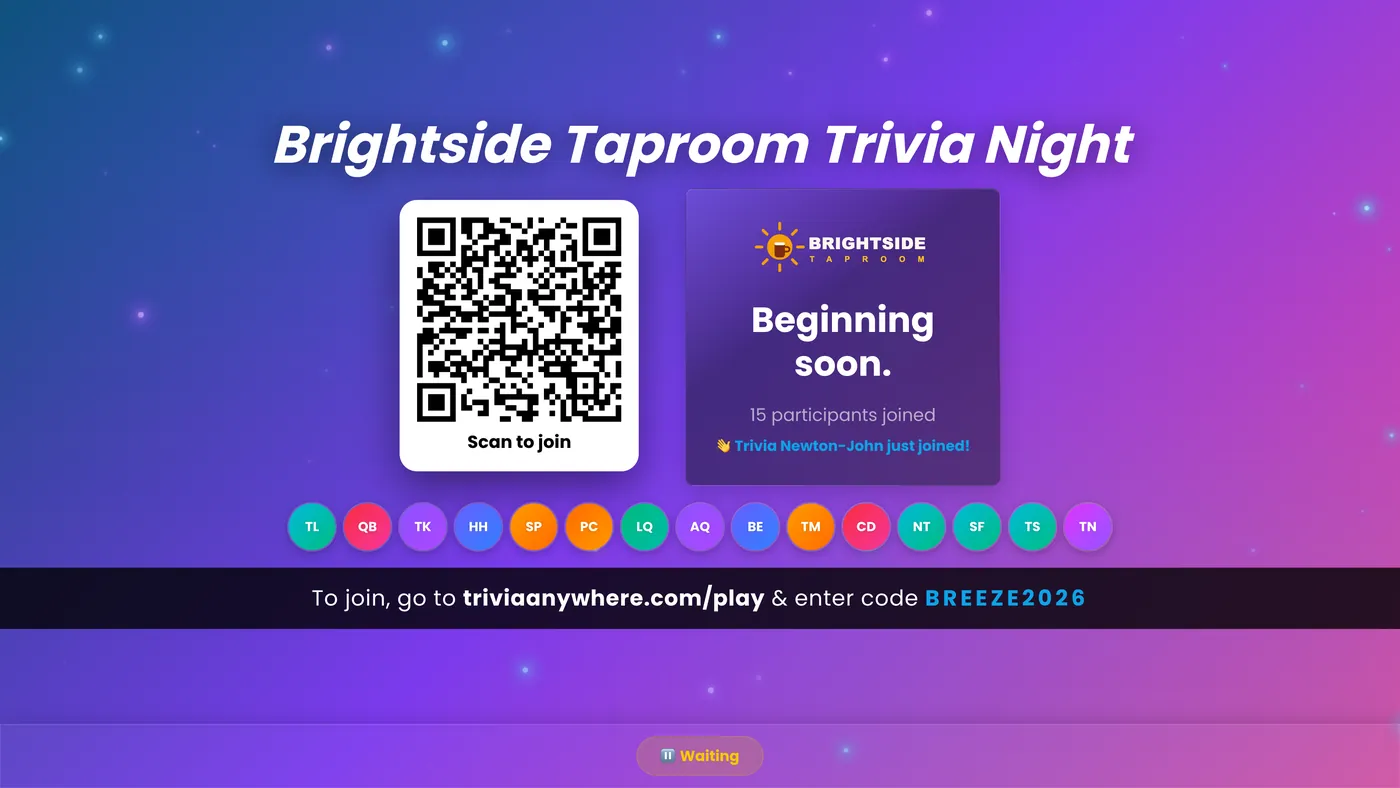
Live leaderboard and podium
Standings after every reveal, then a podium with trophies and confetti. Celebrate your top 1 to 5 to match your prizes.
Your logo in the top bar
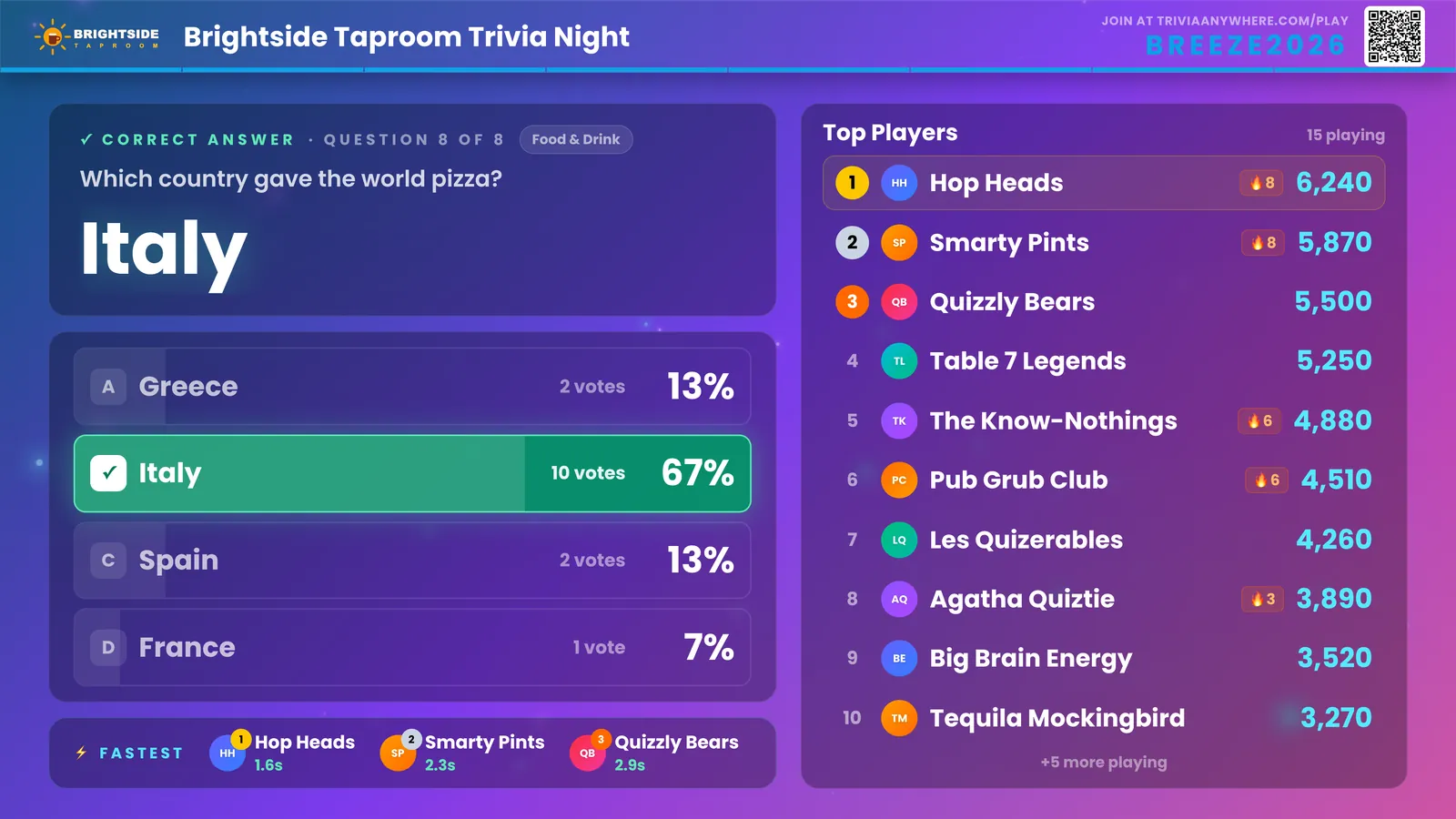
One slim bar with your logo, the game name, the join code and QR, and a progress line. Choose a large bar for big rooms.
Fits any TV or projector
Laid out for 1080p and scaled to whatever screen you have, from a laptop to a 4K TV. No settings to fiddle with.
Countdown and sound effects
Countdown beeps, correct-answer sounds and a winner fanfare, played from the big screen so the room hears one clean sound.
Presenter view
A dedicated screen for the projector: QR code and join instructions in the lobby, questions, reveals and results.
Learn more →GROW AND BRAND
Bigger rooms, your brand
Free covers up to 25 players. When your events grow or carry your name, paid plans from $20/month add the room size and branding.
Bigger rooms
Go past the free 25 players: 50, 200 or 500 players per game, so nobody is turned away at the door.
Your logo and colors on every screen
Logo, colors, backgrounds and fonts on the big screen and every phone. Logos are trimmed and sized automatically.
Learn more →Rounds and multipliers
Organise questions into rounds, show standings between them, and double the points in the final round.
Sponsor ads
Waiting-room graphics, banners and pop-ups on players’ phones. Great for venues, sponsors and fundraisers.
Lead capture and CSV export
Collect names, emails and custom fields at join, and export players and results for your CRM.
Guest list
Paste your guest list and players pick their own name when they join. Taken names grey out.
Unlimited saved games
Keep every game you build. The free plan keeps 3 saved games, each playable as often as you like.
Text the winners
Send the winner or the top 3 a text from the results screen. Emailing the winner is free.
QUESTIONS
Make every question better
The features hosts use most, all included free.
Every question type
Multiple choice, multi-select, true/false, typed answers, polls and would-you-rather.
Learn more →Picture answers and media
Answers can be pictures, and questions can carry an image or a YouTube clip for music and movie rounds.
Explanations, hints and categories
Teach a little after each reveal, give a hint, and label questions by topic.
Buzzer mode
Read questions aloud and players race to buzz in on their phones. Perfect for Zoom and hybrid nights.
Learn more →Teams
Players join teams and compete together, with team standings on the big screen.
Learn more →Power-ups
50/50, 2× Points, Redo, Spy, Hint, Freeze and Shield. Pick up to three per game.
Wager rounds
Players bet their points on the next question while the standings are up.
Slides
Welcome screens, round titles, sponsor thank-yous and breaks between questions, with ready-made starters.
Custom timers and shuffle
Set a time per question and shuffle answer order so nobody copies their neighbour.
ANY KIND OF EVENT
Bars, offices, weddings and classrooms
Pick the format that fits the room, with or without phones.
Quiz mode
For trainers and teachers: check what stuck, with answers held back until the end if you like. Score export on paid plans.
Pen & Paper mode
No phones needed. Teams write answers on paper and you mark them on screen. Free for up to 4 answer sheets.
Host-controlled, automatic or self-paced
Run each question yourself, let the game run itself, or open a self-paced session players take on their own time.
Last Player Standing
Elimination trivia: the lowest scorers drop out each round until one champion remains.
Interactive bingo
Custom or number bingo with auto-generated cards, plus a listen-along podcast mode.
Learn more →Live polls
Ask the room anything and reveal the results on the big screen.
Learn more →Wheel of Words
Spin-the-wheel word puzzles, classic with contestants or crowd mode for the whole room.
Learn more →Audience Q&A
Collect and upvote audience questions and feature the best ones on screen.
Learn more →Ready-made games
Dozens of ready-made games, from 80s nostalgia to holidays and general knowledge. One click to make it yours.
HOSTING TOOLS
Run it smoothly, start to finish
Set up in minutes, stay in control on the night, and see how it went afterwards.
Game Home
One overview of your game: what’s ready, what’s missing, and a countdown to your event with your guest count.
Fix scores live
Add or take away points mid-game for a judge’s ruling or a bonus, and every screen updates.
Results that tell the story
Podium, full standings, answer times per player and the toughest question. End early and everyone still sees the final standings.
Get ratings
Share a feedback link by text or email, or show a QR code on the podium. No sign-in for players.
CSV question import
Build questions in a spreadsheet and import them in one go, Excel files included.
Duplicate and reuse
Copy any game for next week and play it again with scores cleared.
Free vs paid at a glance
| Feature | Free | Paid from $20/mo |
|---|---|---|
| Players per game | 25 | 50–500 |
| Every game type and question type | ✓ | ✓ |
| Big-screen presenter view | ✓ | ✓ |
| Teams, buzzer, power-ups, slides | ✓ | ✓ |
| Quiz mode | ✓ | ✓ |
| Pen & Paper (4 answer sheets free) | ✓ | ✓ |
| Ratings link and results | ✓ | ✓ |
| Your logo, colors and fonts | — | ✓ |
| Rounds and multipliers | — | ✓ |
| Sponsor ads, lead capture, CSV export | — | ✓ |
| Guest list, text the winners | — | ✓ |
| Unlimited saved games | — | ✓ |
How It Works
Create a Game
Sign up free. Start from a ready-made game or add your own questions, and pick your format.
Share the Code
Players scan the QR code or type the code at triviaanywhere.com. No app, no account.
Play Live
Run it from your dashboard while the big screen and every phone stay in sync.
See Results
Podium, full standings, answer times and ratings. Export on paid plans.
Perfect For
Ready to Host Your First Game?
Create a game in minutes. Always free for up to 25 players, no credit card, no app for your guests.